PromptPay






Flood fill Algorithm คือ Algorithm การระบายสีโดยมีเงื่อนไขอยู่ว่ารูปทรงที่ต้องการระบายนั้นจะต้องเป็นรูปปิด ถ้าใครนึกภาพไม่ออกก็ลองนึกถึงโปรแกรม paint จะมีเครื่องมือเทสี(Fill) มีลักษณะเช่นเดียวกัน
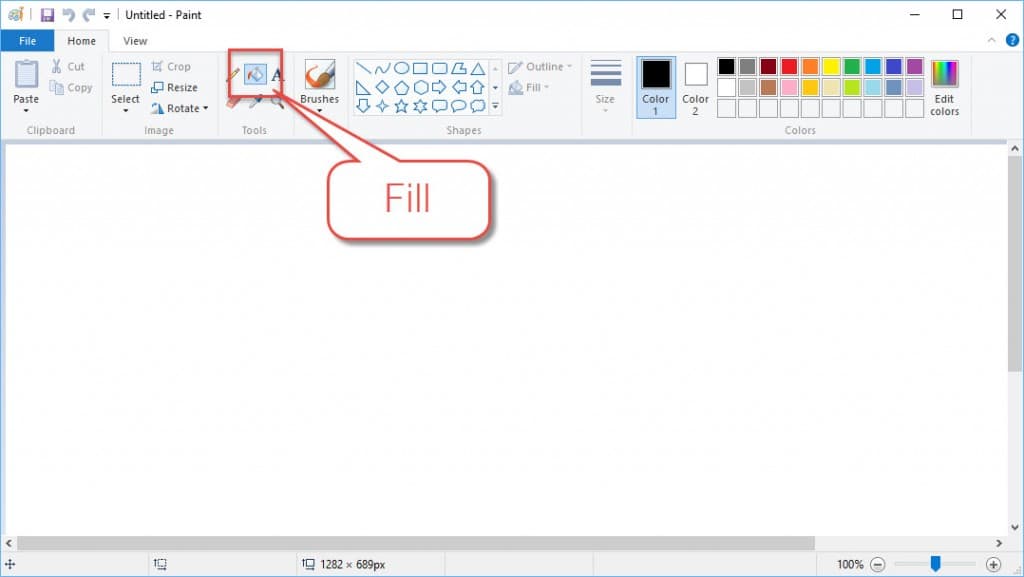
scanline-floodfill-algorithm Flood fill Algorithm จะแบ่งออกเป็นหลายประเภทแต่ในบทความนี้ จะอธิบายถึง Scanline Flood fill Algorithm
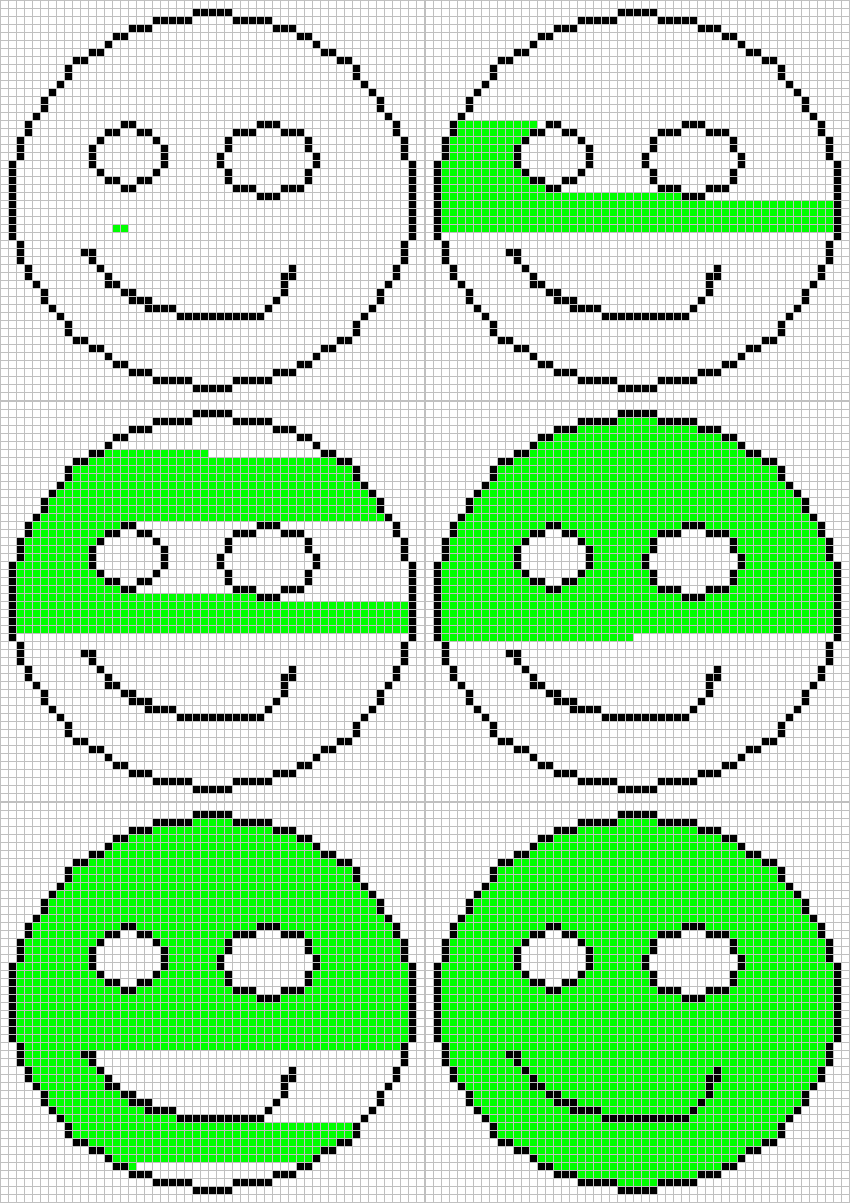
หลักการทํางานของ Scanline Flood fill Algorithm คือ แสกนไปทีละ line ตามรูปตัวอย่าง
มาดูตัวอย่าง source code กันดีกว่าครับ
void floodFillScanlineStack(int x, int y, int newColor, int oldColor)
{
    if(oldColor == newColor) return;
    emptyStack();

    int y1;
    bool spanLeft, spanRight;

    if(!push(x, y)) return;

    while(pop(x, y))
    {
        y1 = y;
        while(y1 >= 0 && screenBuffer[x][y1] == oldColor) y1--;
        y1++;
        spanLeft = spanRight = 0;
        while(y1 < h && screenBuffer[x][y1] == oldColor )
        {
            screenBuffer[x][y1] = newColor;
            if(!spanLeft && x > 0 && screenBuffer[x - 1][y1] == oldColor)
            {
                if(!push(x - 1, y1)) return;
                spanLeft = 1;
            }
            else if(spanLeft && x > 0 && screenBuffer[x - 1][y1] != oldColor)
            {
                spanLeft = 0;
            }
            if(!spanRight && x < w - 1 && screenBuffer[x + 1][y1] == oldColor)
            {
                if(!push(x + 1, y1)) return;
                spanRight = 1;
            }
            else if(spanRight && x < w - 1 && screenBuffer[x + 1][y1] != oldColor)
            {
                spanRight = 0;
            }
            y1++;
        }
    }
}
ตัวอย่างนี้จะเป็นการ scan ทางแนวตั้ง โดยจะใช้ Stack เข้ามาช่วย ลองทําความเข้าใจ source code ดูครับ
ข้อมูลจาก lodev.org
วิธี calibration จอ touchscreen raspberry piในบทความนี้ จะอธิบายเกี่ยวกับการ calibration จอ touchscreen ของ raspberry pi โดยจอ touchscreen ที่ใช้คือ Raspberry Pi 7" Touchscreen Display มาเริ่มกันเลยครับ
สวัสดีครับ ในบทความนี้ผมจะมาแนะนําวิธีการ ติดตั้ง printer ใน raspberry pi หรือ computer ที่มี os เป็น linux ในการจัดการ printer บน linux จะต้องใช้โปรแกรม CUPS เข้ามาช่วย
สวัสดีครับ บทความนี้เราจะมารู้จักกับ Module ESP32 รุ่นต่างๆว่ามีกี่รุ่น และแต่ละรุ่นมีความแตกต่างกันอย่างไร